
Don’t Like Typing? You Don’t Have To.
When most people think about using AI, they imagine sitting at a computer and typing questions into a chat box. But that’s not the only way to use it.
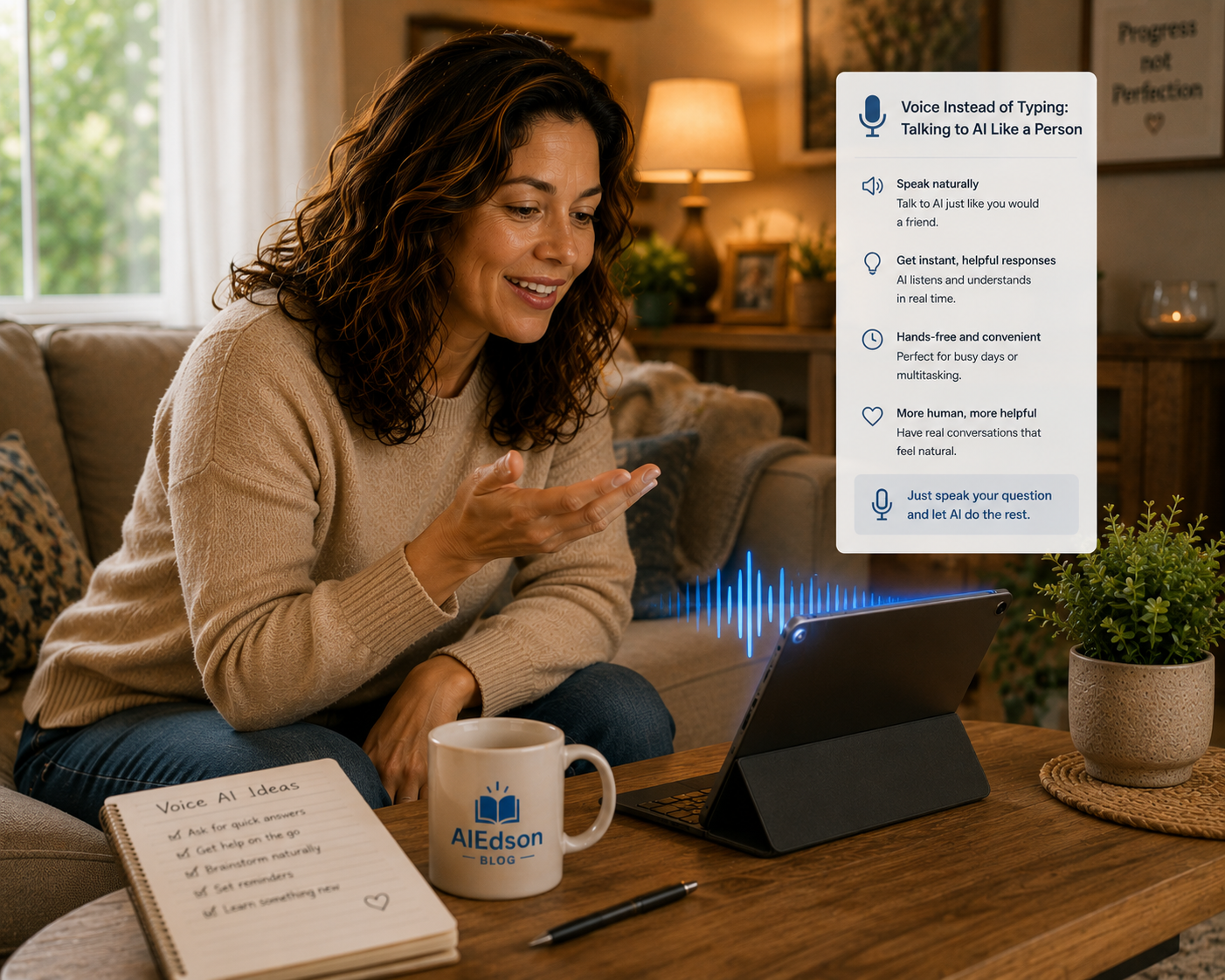
In fact, one of the easiest ways to interact with AI is simply by talking.
Just like you would talk to a friend, family member, or assistant.
For many people, specially those who don’t enjoy typing—this can make AI feel much more natural and accessible.
Why Voice Can Be Easier
Not everyone is comfortable typing on a phone or computer.
Maybe:
- You type slowly
- Your hands get tired
- Small keyboards are frustrating
- You find it easier to explain things out loud
If any of those sound familiar, voice conversations with AI can be a game changer.
Instead of thinking about how to write something, you can simply say it.
How Does It Work?
Most AI apps now include a microphone button.
When you tap it, you can speak your question instead of typing it.
For example, you could say:
- “Help me plan dinner for tonight.”
- “Explain this bill in simple words.”
- “What are some easy exercises I can do at home?”
- “Write a birthday message for my grandson.”
The AI listens, understands your request, and responds.
It’s that simple.
You Don’t Need Special Commands
One of the biggest misconceptions about AI is that you need to use special words.
You don’t, you can speak naturally.
For example, Instead of saying:
“Generate a meal plan.”
You can simply say:
“I’m trying to eat healthier this week. Can you give me a few simple dinner ideas?”
That’s how most people talk in everyday life, and AI is designed to understand it.
Real Examples You Can Try
Here are a few voice prompts that work well:
For everyday tasks:
- “Help me organize my day.”
- “What should I buy for a healthy breakfast?”
For learning:
- “Explain how online banking works.”
- “Teach me a few useful Spanish phrases.”
For writing:
- “Write a thank-you note for my friend.”
- “Help me write a message to my neighbor.”
Before vs After (Real Example)
Let’s say you’re trying to type this on your phone:
Before:
“Need message doctor appointment next week.”
It works, but it may feel awkward.
Now imagine simply speaking:
After:
“Can you help me write a polite message to my doctor asking for an appointment next week?”
Most people find speaking much easier and more natural.
The Hidden Benefit: Better Questions
Something interesting happens when people speak instead of type.
They often provide more details.
And more details usually lead to better answers, for example:
Typing:
“Help with gardening.”
Speaking:
“I’ve never had a garden before. I have a small backyard and I’d like to grow vegetables. Where should I start?”
The second question gives AI much more information to work with.
Your First Voice Conversation (Try This Now)
Open your AI app and look for the microphone icon.
Tap it and say:
“What’s one useful thing I can learn today in five minutes?”
Listen to the answer.
Then ask a follow-up question, keep the conversation going naturally.
You’ll quickly see that using AI can feel much more like talking to a person than using a search engine.
The Secret?
You already know how to use voice AI.
You’ve been having conversations your entire life.
The technology is new, talking isn’t.
And that’s what makes voice such a powerful way to use AI.
3 Simple Tips for Better Voice Conversations
1. Speak naturally
There’s no need to sound formal or technical.
2. Give a little context
A few extra details can improve the answer dramatically.
3. Ask follow-up questions
Treat it like a conversation, not a one-time request.
⚠️ A Few Things to Remember
1. Speak clearly in noisy environments
Background noise can sometimes affect accuracy.
2. Review important information
Especially if you’re discussing appointments, dates, or numbers.
3. Don’t share sensitive personal information
The same privacy rules apply whether you’re typing or speaking.
Final Thoughts
Many people assume they need to be comfortable with technology before they can use AI effectively. The truth is, one of the easiest ways to use AI requires almost no technical skill at all, you simply talk.
If typing feels slow, frustrating, or intimidating, using the microphone can make the entire experience feel more natural. Instead of worrying about spelling, grammar, or how to phrase a question, you can speak as you normally would in a conversation. This often leads to better questions, more detailed explanations, and a much more enjoyable experience overall.
The real value of voice AI isn’t just convenience. It’s accessibility. It opens the door for people who may not be confident with computers, struggle with typing, or simply prefer speaking over writing. By removing that barrier, AI becomes less like a piece of technology and more like a helpful assistant that’s always available when you need it.
So the next time you open ChatGPT or another AI tool, try tapping the microphone instead of the keyboard. You might be surprised at how quickly a simple conversation can turn into useful advice, new knowledge, or help with an everyday task. After all, you’ve spent your whole life learning how to talk to people—now you’re simply using that same skill to talk to AI.
🚀 Want More Simple AI Guides?
I’ll be sharing easy, practical ways to use AI — no fluff, no complicated tech talk.
👉 Subscribe to the email list to stay updated and keep learning step-by-step.
See you in the next post.
Explore earlier blog posts

How to Ask Better Questions (And Get Better Answers)
Ever Feel Like AI Isn’t Giving You a Good Answer? Many people try AI once or twice and think: “That wasn’t very helpful.” But…
Keep reading
Learning Anything After 50 (With AI as Your Tutor)
Ever Wanted to Learn Something New? Maybe you’ve thought about: But then life gets busy. Or the information feels overwhelming. Or you simply don’t…
Keep reading
Turn Your Ideas into Stories, Letters, or Memories
Some Memories Deserve to Be Written Down Most people think AI is only for work or productivity. But honestly, one of the nicest uses…
Keep readingSomething went wrong. Please refresh the page and/or try again.
Leave a Reply